
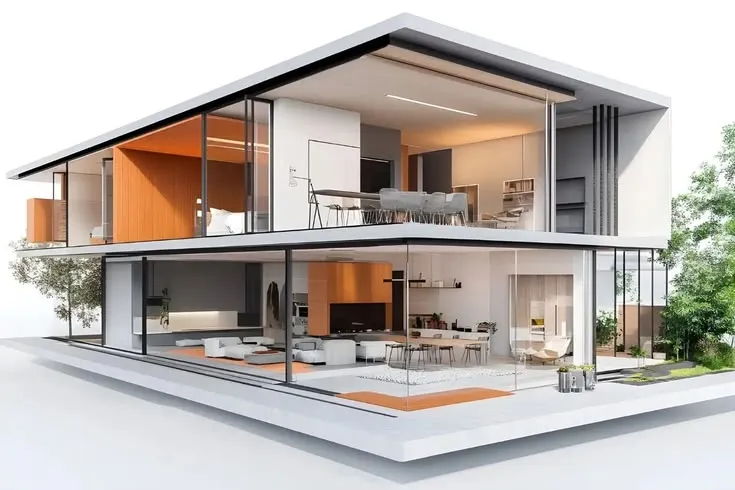
Architectural visualisation has traditionally involved a trade-off. The more polished and controlled an image needs to be, the more time tends to go into modelling, materials, lighting, landscaping, camera setup, and post-production. That level of effort makes sense for a final presentation, but it can feel excessive when a team is still deciding whether the façade should be lighter, the entrance more prominent, or the landscape less formal. A Render AI workflow offers another option by allowing designers to create visual studies while those decisions are still open.
The useful question is not whether AI rendering is faster than a traditional workflow. In many situations, it can be. What matters more is whether that speed arrives at the right moment. A quick image has little value if nobody knows what it is supposed to test. Used with a clear purpose, however, rapid visualisation can make design reviews more focused and help teams notice problems before they invest heavily in a particular direction.
Not Every Project Image Needs to Be a Final Render
Design teams create images for very different reasons.
A competition board may require carefully controlled visual quality. A marketing image might need confirmed furniture, materials, landscape, and lighting. An internal review on a Tuesday afternoon may need nothing more than a clear answer to one question.
Those situations should not be treated as though they require the same workflow.
A designer considering two materials for an entrance does not necessarily need to prepare a complete photorealistic scene. The team simply needs enough visual information to compare the alternatives. This is where platforms such as AI Render Studio can sit between a rough working view and a fully developed visualisation, giving architects and designers a way to explore appearance without pretending that every part of the project is already resolved.
That middle ground is especially useful because many important design decisions happen long before the final images are commissioned.
Speed Is Valuable When the Design Can Still Change
There is little benefit in discovering an obvious visual problem after a project has already been developed in detail.
Imagine an architect working on a small mixed-use building. The floor plans are moving in the right direction, the massing has been agreed, and a basic model already exists. The façade uses three materials, but nobody has really seen how those materials will work together across the whole building.
A quick visual study might reveal that all three materials are competing for attention.
That discovery could lead to a simpler palette before the façade has been developed further.
Another project may have an entrance that seems clear in plan but disappears visually once planting, glazing, and neighbouring elements are shown. Again, noticing that early is useful.
Fast rendering matters because it shortens the time between a design question and a visual response.
Begin With a Question Before Generating Anything
A good rendering exercise should have a reason.
Instead of asking AI to “make this building look realistic,” try identifying the decision that needs support.
For example:
- Does the darker cladding make the façade feel too heavy?
- Should the entrance use a contrasting material?
- Is the landscape too formal for the building?
- Would the interior feel warmer with timber rather than stone?
- Does the project communicate better in daylight or at dusk?
- Is the current colour palette suitable for the surrounding context?
Each question creates a more useful visual test.
It also makes the result easier to judge.
If the purpose was to compare façade materials, there is no need to become distracted by an attractive car or dramatic clouds that happen to appear in the image.
One Design, Several Focused Tests
A single model view can support more than one conversation as long as each test is separated clearly.
Suppose a design team is developing a new café.
Test One: Material Character
The first visual could compare pale brick against a warmer timber-and-stone palette.
The question is simple: which direction better matches the intended atmosphere?
Test Two: Landscape and Arrival
The architecture can remain largely unchanged while the entrance route, planters, paving, and outdoor seating are explored.
Now the team is considering how people approach the building.
Test Three: Evening Atmosphere
A dusk study could reveal whether glazing, signage, and interior lighting make the café feel welcoming after sunset.
None of these images needs to resolve every aspect of the project.
Together, however, they can help the team develop a more complete understanding of it.
Internal Design Reviews Do Not Need Marketing Imagery
There is a tendency to associate rendering with external presentation.
In reality, some of the most useful images may never leave the design studio.
Architects frequently review unfinished work with colleagues. A project architect may want another person’s opinion about the façade. An interior designer might be deciding whether a room needs more material contrast. A landscape designer could be questioning how much planting a courtyard can visually support.
For these discussions, perfection can actually get in the way.
A highly polished visual may encourage people to discuss decorative details rather than the underlying design problem.
A simpler AI-assisted study can keep the meeting focused on the question being tested.
The image only needs to be convincing enough to communicate the idea.
Client Meetings Can Become More Specific
Clients often find unfinished models harder to interpret than designers do.
An architect may see a simple grey model and immediately understand the intended proportions, materials, and depth. A client can easily see a grey building and wonder why everything looks unfinished.
A visual study can bridge that gap.
Suppose a client is considering two directions for a home exterior.
Instead of describing one option as “lighter and more contemporary” and another as “warmer and more natural,” show both approaches.
Now the client can respond to visible differences.
They may say:
“The lighter version feels too cold.”
“I like the timber, but only around the entrance.”
“The darker windows work better.”
“Could we keep the first material palette with the landscaping from the second?”
Those comments give the designer something practical to develop.
The render has improved communication rather than simply decorating the presentation.
Faster Rendering Can Also Create Too Many Choices
There is a downside to removing friction from visual production.
When another variation is easy to create, another variation always seems tempting.
One more material.
One more colour.
One more lighting setup.
Eventually, the team has a folder full of images and less certainty than when it started.
This is where design discipline matters.
A useful rule is to stop generating when the visual has answered the original question.
If the team already knows that the pale brick works better than the dark cladding, producing eight additional brick variations may not add anything meaningful.
More options are not automatically more creative.
Sometimes the strongest design decision is deciding that enough exploration has already happened.
Keep the Geometry Connected to the Real Project
A generated architectural image can look remarkably convincing while quietly changing the underlying design.
Windows may become wider.
A roof edge might move.
A canopy could become deeper.
Balconies may change proportion.
Extra vegetation might hide an awkward area of the building.
These changes can be visually pleasing, but they need to be noticed.
Designers should compare every useful AI study against the original sketch, model view, or photograph.
If the generated version has introduced something interesting, ask why it works.
Perhaps deeper window reveals create the shadow the façade was missing.
That could be a useful idea.
The next step is not copying the image. The next step is developing those reveals deliberately in the real architectural model.
The same principle applies to interiors, landscape, and masterplans.
The image can suggest. The project team still has to design.
Realistic Does Not Mean Technically Correct
Photorealism creates confidence.
That can become a problem when the image contains unresolved information.
A rendered wall may appear to use a particular type of stone even though no product has been selected. Trees may look fully established when the actual landscape will take years to mature. A staircase could appear elegant while having completely unrealistic dimensions.
Architectural decisions still require proper investigation.
Teams need to consider:
- structure and construction;
- accurate dimensions;
- planning requirements;
- accessibility;
- building regulations and codes;
- material performance;
- cost;
- maintenance;
- environmental conditions;
- procurement and availability.
A rendering tool cannot replace these processes simply because its image looks believable.
This is particularly important when showing early visuals to clients. The team should distinguish between an image communicating design intention and one representing confirmed technical information.
AI and Traditional Rendering Can Share the Same Project
There is no need to decide that every project must use either AI rendering or conventional rendering.
The two methods can serve different stages.
During concept development, AI-assisted rendering may help test:
- broad material directions;
- lighting moods;
- landscape character;
- interior styles;
- façade emphasis;
- visual context.
Later, the project may need far more precise control.
A final visual could require an exact furniture model, confirmed products, specific planting, accurate geometry, approved signage, or carefully coordinated lighting.
Traditional rendering tools are still valuable when those details matter.
A practical project could therefore move from quick visual experimentation into more controlled rendering as the design becomes more certain.
That is less about choosing a winner and more about matching the tool to the task.
Avoid Making Every Image Cinematic
AI-generated visuals often look impressive when they contain dramatic sunset skies, wet pavements, intense shadows, glowing interiors, and large areas of atmospheric lighting.
Those images can be appealing.
They are not always useful.
Architecture exists under ordinary conditions too.
A building needs to look coherent in normal daylight. A living room has to work without golden-hour sunlight entering at the perfect angle. An entrance must remain understandable when the sky is grey.
Design teams can learn more by testing a mix of conditions.
Daylight may expose awkward material transitions that dramatic shadows hide.
An overcast study can make the basic form easier to judge.
Dusk is useful where internal light and glazing matter.
The objective should be to understand the design, not simply to make every version look like a magazine cover.
The Most Useful Result May Be a Rejected Idea
A visualisation does not fail just because the team dislikes what it sees.
Quite the opposite.
Suppose an interior designer has been considering dark timber across an entire restaurant. A rendered study shows that the room becomes much heavier than expected.
Good.
The team has learned something before ordering materials or developing the scheme further.
Perhaps an architect has been excited about a complex façade pattern. Once rendered with real shadows and surrounding context, it feels unnecessarily busy.
Again, useful.
Design development depends on rejection as much as selection.
Fast visualisation can make it easier to test an idea, discover its weaknesses, and move forward without investing too much time in defending it.
Create a Clear Route Back to the Working Design
The most productive AI workflow does not end with the image.
It loops back into the project.
A simple process might be:
1. Start with the real model, sketch, plan, or photograph.
2. Identify one question worth testing.
3. Generate a small number of relevant visual studies.
4. Compare them with the original design.
5. Identify the principle worth keeping.
6. Develop that idea properly in the working project.
This final stage is what separates design exploration from image collection.
If the render reveals a better entrance, update the entrance.
If it suggests a stronger material hierarchy, test the actual materials.
If it shows that the landscape needs a clearer route, develop that route in the site plan.
The image has done its job when it leads to a better-informed project decision.
Conclusion
Fast AI rendering is most valuable when it appears at the right point in the design process. It can help architects and designers see material choices, lighting conditions, landscape ideas, and spatial character while there is still time to change them.
That does not mean every quick render deserves a place in the final presentation. Many of the best visual studies may be temporary. They answer one question, influence one decision, and then disappear as the project moves forward.
This is also why speed should never be the only measure of success. A rapidly produced image that creates confusion is less useful than a simple visual that helps the team make one clear decision.
AI rendering becomes genuinely valuable when it supports that cycle: question, visualise, review, edit, and return to the design. The image may arrive faster, but professional judgement still determines what happens next.